



Protecting your guests from phishing: practical steps for hotel teams
 By Duve Team
By Duve Team
By Duve Team Stay updated on the latest Guest Experience and Hospitality Tech updates.
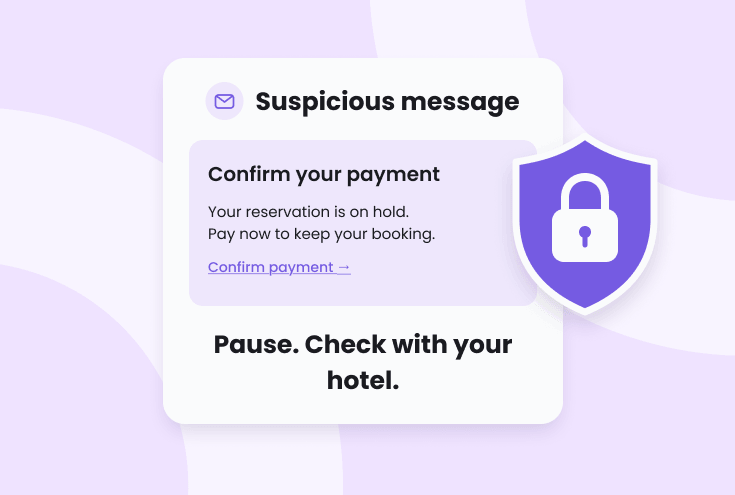
Guest communication often includes requests to complete check-in, confirm reservation details, or make a payment. Phishing attempts imitate these familiar interactions, using the name of a hotel or trusted provider to persuade someone to share sensitive information.
A few consistent security habits can help your team recognise suspicious requests, protect account access, and give guests clear guidance when something looks unusual.
Before following a link or entering credentials, check the sender’s full email address and the website address. A familiar display name or logo is not enough to verify a message.
Treat unexpected payment requests, attachments, and urgent demands with care, especially when a message threatens cancellation or asks for immediate action. If you need to check your account, open the service through a saved bookmark rather than a link in the message.
Make these checks part of your team’s everyday routine across the services your property uses, including company email and connected hospitality systems.
Make it easy for guests to know how your property communicates and where they should complete payments. Explain which official hotel or booking channels you use, and encourage guests to contact your team through a known phone number or previously verified channel if a request seems unusual.
Unexpected requests to pay again, provide card details, or act immediately to avoid cancellation should prompt a check before the guest proceeds. Guests should avoid replying to suspicious messages or using the links and contact details within them to verify the request.
Your reservations and front desk teams should give consistent guidance so guests receive a clear answer, regardless of who handles the enquiry.
Each employee should have an individual Duve account with a unique password and only the permissions their role requires. Shared credentials make it harder to manage access and identify who performed an action. Remove access when someone leaves and review permissions when responsibilities change.
Keep multi-factor authentication (MFA) enabled for every user. Each person should use their own authenticator app and never share verification codes or approve unexpected authentication requests. In Duve, MFA can be configured under User Profile → MFA.
Enable MFA on company email accounts, too. Email may receive password reset links and security notifications, making it an important part of protecting access to other systems.
Enable Link SafeGuard under Settings → Advanced Settings → Security. This adds protection by helping prevent incoming hyperlinks from external sources from being accessed directly inside Duve.
Regularly review Settings → Users & Permissions and Settings → Connections to check who has access and which integrations are connected. Keep only approved connections that your property needs. Some settings require administrator access.
On shared reception computers and tablets, each employee should sign in with their own account, log out after use, and lock the device when stepping away. Keep browsers and operating systems updated.
If a guest or colleague reports a suspicious message, avoid clicking its links or replying. Check the sender’s full email address and the website address behind any request, rather than relying on a familiar name or logo.
If you entered your credentials on a suspicious website, change the affected password immediately through the service’s official website. Change it anywhere else it was reused, and notify the person responsible for security at your property so they can coordinate a review of the affected account. Report suspicious emails to your email provider as phishing and follow your organisation’s procedures for handling potential unauthorised access.
Duve will never ask for your password or MFA verification codes. Any message requesting them should be treated as suspicious.
Make these practices part of staff onboarding and regular access reviews. Keeping accounts secure and helping guests verify requests are everyday ways to protect the trust they place in your property.